
Two options, depending on your Mac
01.
Boot Camp (Intel Macs)
Windows goes on its own partition and runs with the full power of the computer. You choose which system starts every time you turn the Mac on.
02.
Virtual machine (Apple Silicon M1 and later)
On newer Macs Windows runs inside an app such as Parallels Desktop, right next to your macOS apps, with no restart needed.
What the job includes
- Free-space check and correct drive partitioning
- Installation of the Windows edition you hold a licence for
- All drivers for Wi‑Fi, audio, camera, trackpad and keyboard
- Greek keyboard and language settings if needed
- A quick walkthrough on choosing the system at start-up
- Final test of both systems
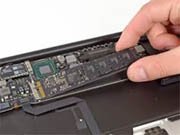
Windows needs plenty of space and memory. If your drive is small, an SSD upgrade may be worth doing first.